The SafeSelect Assessments on the PRISM platform can only be completed once every 12 months.
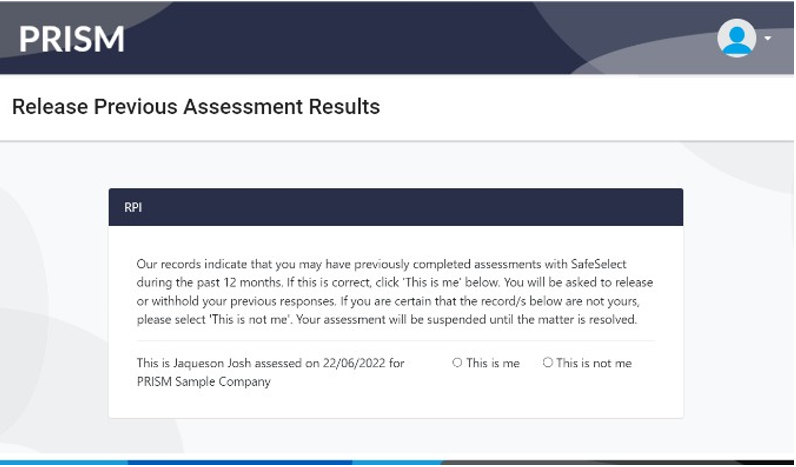
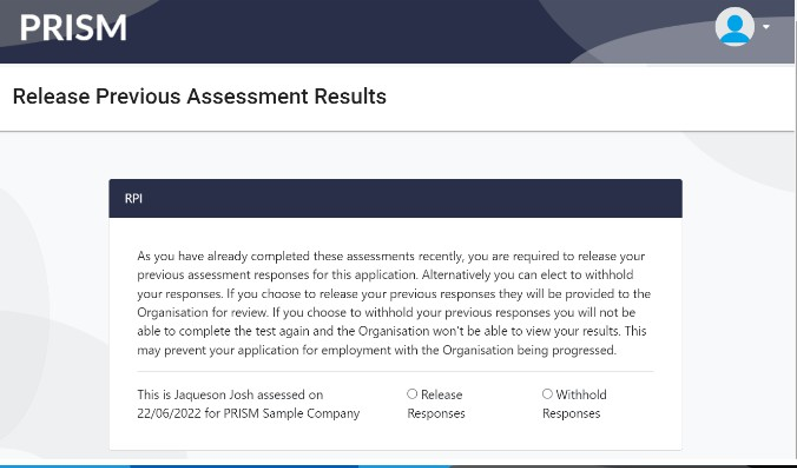
When you return to your PRISM account to complete the ASM, RPI, Cognify or Emotify assessments within 12 months, you will click Start Test (as usual) but then be asked to Release Results.
📘 Instructions
Follow these steps to Release results
-
Return to your PRISM account at https://prism.convergeintl.com.au/
-
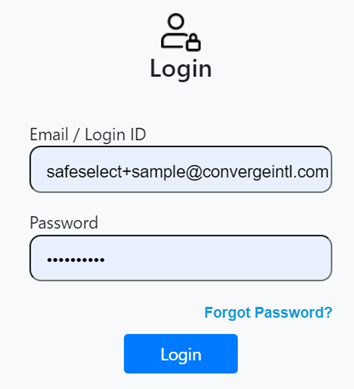
Enter your email and password to access your PRISM account
-
Click Start Test to begin
-
Click “This is me” to confirm the prior records are yours
-
Click “Release Responses” to release your test results to the current Organisation
-
You will be returned to the Home Screen where your Test Status should now state “Released”
If you have any concerns about releasing results, create a SafeSelect Support ticket immediately.
If you do not agree to release results, the Organisation will mark you as not interested.