🤔 Problem
If you enter the password wrongly too many times, your account will be locked for a short period of time.
🌱 Solution
After approximately 15 minutes, you can try your password again.
However, if you don’t recall your password, click Forgot Password on the PRISM Login Screen
-
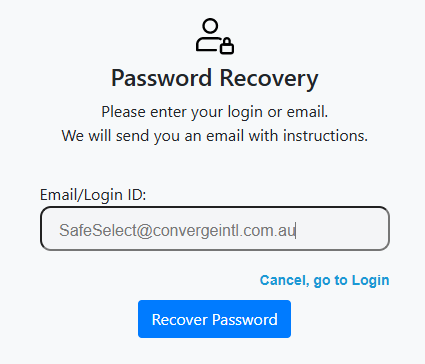
Clicking Forgot Password will open a screen, asking you to enter your email
-
An email will be sent to your inbox. Click the link in your email.
-
This returns to PRISM to set a new password including uppercase, lowercase, number & special character
-
You can immediately log in with your new password.
If the above steps do not resolve, create a SafeSelect Support ticket for further assistance.